
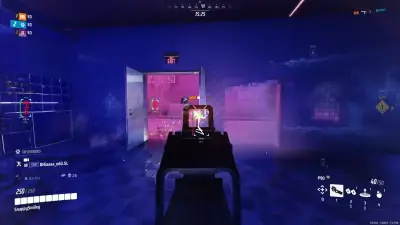
Cloud DMA and THE FINALS: What PC Users Should Know About Compatibility
Review the relationship between Cloud DMA's described Hyper-V environment and THE FINALS' official virtual machine restrictions before making a purchase decision.
Before purchasing PC software that relies on virtualization, it is important to understand how the software interacts with the game you intend to use.
This is particularly relevant for THE FINALS because its official security documentation includes specific restrictions involving virtual machines.
Cloud DMA also describes a Hyper-V-based virtual environment as part of its setup.
These details create an important compatibility question that buyers should investigate before making a purchase.
What Is Cloud DMA?
Cloud DMA is described as an infrastructure layer for a wider software catalog.
Its product information explains that the installer provisions a Hyper-V-based virtual environment on a single Windows PC.
The listed setup does not require a second physical computer, an external DMA box or a separate PCIe DMA card.
Instead, the environment is based around a Windows PC and an associated service connection.
The complete technical requirements should be reviewed before purchasing.
What Are the Listed Cloud DMA Requirements?
The current product description identifies several requirements.
Operating System
Windows 10 or Windows 11, 64-bit.
CPU Virtualization
The processor must support virtualization technology.
The listed technologies are:
- Intel VT-x
- AMD-V
Virtualization must be enabled through the relevant firmware settings.
Hyper-V
The product description identifies Hyper-V as part of the installation environment.
Windows Pro, Enterprise or Education editions are recommended in the published requirements, with users advised to follow the installer guidance for their edition.
Memory
The listed minimum is 8 GB of system RAM, with 16 GB recommended.
Additional Services
The product information also identifies separate purchases for GREENWARD, Static Server and AWS.
Static Server and AWS are described as separate requirements rather than interchangeable services.
Review the current Cloud DMA product details for the complete list and applicable conditions.
Does THE FINALS Allow Virtual Machines?
This is the most important part of the compatibility question.
Embark's official System Integrity Violation documentation identifies specific error codes associated with launching THE FINALS through a virtual machine.
The documentation explicitly states that virtual machines are prohibited for game integrity and security reasons.
That means players should not assume that a Hyper-V-based setup is permitted simply because the PC meets the software's technical requirements.
Does Cloud DMA Work With THE FINALS?
The published Cloud DMA description identifies a Hyper-V-based virtual environment.
Embark's official documentation prohibits launching THE FINALS through a virtual machine.
However, the public descriptions do not fully establish whether the game itself is launched inside that virtual environment or whether the environment is used for another part of the software stack.
That distinction matters.
Based on the available descriptions, compatibility should not be assumed.
Before making a purchase, request clear, written confirmation about exactly where the game process runs and whether the proposed configuration complies with THE FINALS' current security rules.
Do not attempt to conceal a virtual machine or bypass the game's integrity checks.
What Should You Check Before Buying?
Ask the provider specific questions:
- Does the setup launch THE FINALS itself inside a virtual machine?
- Is the game process running in the normal Windows environment?
- Does the current setup comply with Embark's published virtual machine restrictions?
- Are there any additional requirements for this specific game?
- Is compatibility confirmed for the current game version?
A general statement that software supports Hyper-V is not enough to answer these questions.
Why Technical Requirements Are Not the Same as Game Compatibility
A PC can satisfy the operating system, memory and processor requirements of a product without satisfying the rules of a particular game.
This distinction is important for any third-party tool that interacts with an online multiplayer title.
Always check both sets of requirements before purchasing.
Final Compatibility Advice
Cloud DMA and THE FINALS should be evaluated carefully because their published technical descriptions raise a virtualization compatibility concern.
Do not assume that a general product compatibility statement overrides the game's official restrictions.
Review the the Cloud DMA technical information, THE FINALS product requirements and the official System Integrity Violation documentation before making a decision.
When information is unclear, ask support for written clarification rather than experimenting with configurations that may violate game security requirements.