
The Finals Cheats for PC
Explore configurable Aimbot, Player ESP, Bot ESP and Radar. Confirm Windows requirements and the Cloud DMA game-launch architecture with support before purchasing.
Product Overview
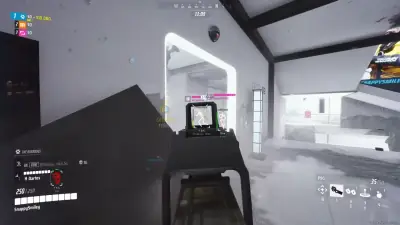
At a glance
Key capabilities
The short list for The Finals Cheats, before the full module list.
Another 19 options are in the full list below.
Overview
THE FINALS Cheats for PC
How the listed modules and the status banner fit a The Finals match.
How this build fits customizable aim assistance, player visibility, radar information and gameplay configuration.
Explore THE FINALS cheats for PC with configurable Aimbot, Player ESP, Bot ESP and dedicated radar features. Review additional player information through customizable visual indicators, including boxes, skeletons, snaplines, health, names and distance. Separate player, bot and teammate options provide different ways to organize the available visual information.
Configure the available Aimbot settings through customizable FOV, smoothness, bone selection, target selection, visibility checks and maximum targeting distance. Additional activation controls include Aim Always and Aim Bind, allowing you to review the available targeting configuration.
Access further customization through the cheat menu, including radar zoom, transparency, crosshair appearance, FPS limit, menu language and individual keybinds. Review the available features, Windows compatibility and Cloud DMA requirements before checkout.
Important compatibility information: Cloud DMA is optional, but some features require it. Its published documentation describes a Hyper-V-based virtual environment, while THE FINALS officially prohibits launching the game through a virtual machine. Confirm the exact game-launch architecture and compatibility with support before purchasing.
THE FINALS ESP and player visibility
THE FINALS Player ESP focuses on additional player visibility and customizable character information. The available visual features include Player ESP, Bot ESP and separate teammate indicators, alongside different ways to display player-related information.
Customize the visual interface through boxes, skeletons, snaplines, health indicators, view lines, names and distance information. These options provide different visual representations and additional context for the entities displayed through the overlay.
Available Player ESP and visual options include:
Player ESP.
Bot ESP.
Teammate indicators.
Box visualization.
Skeleton visualization.
Snaplines.
Health indicators.
View Line.
Player Names.
Distance information.
These options provide different ways to organize player-related information and customize the visual interface. Individual display controls allow you to review which indicators are available and how the information is presented.
THE FINALS Aimbot and targeting configuration
THE FINALS includes a configurable Aimbot with several targeting and customization options. Adjust the available FOV, smoothness, bone selection and maximum targeting distance settings independently to organize the aiming configuration around your preferences.
Target selection provides additional control over the entity categories identified in the menu. Bone Selection includes Closest, Random and Selected options, while Visible Check and the available activation controls provide further configuration choices.
Available Aimbot options include:
Enable or Disable Aimbot.
Aim Always.
Visible Check.
Customizable FOV.
Draw FOV.
Aim Bind.
Target Selection: Player, Bot, Team and Coma.
Bone Selection: Closest, Random or Selected.
Adjustable Smoothness.
Maximum Target Distance.
The feature list includes the label Coma under target selection, although its precise meaning is not separately documented. Confirm this option with support if it is relevant to your requirements.
These controls provide additional flexibility over the listed targeting configuration. The available settings allow different aspects of the aiming interface to be reviewed independently.
THE FINALS radar and menu customization
The radar provides a separate visual interface with controls for displaying different entity categories and adjusting its appearance.
Available radar options include:
Enable Radar.
Show AI.
Show Player.
Show Team.
Adjustable Zoom.
Radar Transparency.
The miscellaneous configuration also includes additional menu and crosshair controls.
Available customization options include:
FPS Limit.
Crosshair Enable.
Crosshair Style.
Crosshair Size.
Crosshair Thickness.
English and Chinese menu language options.
Menu Keybind.
Unload Keybind.
These settings provide additional control over the menu interface, crosshair appearance and radar presentation.
The individual options can be reviewed according to their available functionality in the current product version.
Windows requirements and compatibility considerations
The current product specifications list support for Windows 10 and Windows 11.
The required Windows security configuration includes:
HVCI enabled.
Core Isolation enabled.
TPM enabled.
Secure Boot enabled.
Cloud DMA is optional, but some features require it. Its separate technical requirements include CPU virtualization, Hyper-V availability, system memory and stable broadband internet.
There is an important THE FINALS-specific compatibility consideration. Cloud DMA provisions a Hyper-V-based virtual environment, whereas Embark's official documentation prohibits launching THE FINALS through a virtual machine.
The available product information does not establish whether the game process runs inside that environment. Obtain written confirmation of the exact architecture and its compliance with the game's requirements before purchasing.
Using third-party software that affects gameplay can also violate THE FINALS' rules and result in account enforcement. No third-party product can guarantee immunity from bans.
Modules
What's included
The full option list for The Finals Cheats. Each line can be switched in the menu.
- Custom FOV: Adjust the targeting area.
- Visible Check: Target visible entities only.
- Aim Always & Aim Bind: Customize activation.
- Target Selection: Player, Bot, Team, and Coma.
- Bone Selection: Closest, Random, or Selected.
- Smoothness: Adjust aim movement.
- Max Distance: Set targeting range.
- Draw FOV: Display the FOV circle.
- Player ESP: Display player information.
- Bot ESP: Identify AI-controlled entities.
- Teammate ESP: Show teammate indicators.
- Box & Skeleton: Highlight character positions.
- Snapline & View Line: Add visual tracking lines.
- Health ESP: Display health information.
- Name & Distance: Show names and distances.
- Show Player: Display player indicators.
- Show AI: Include AI entities.
- Show Team: Show teammates.
- Radar Zoom: Adjust radar magnification.
- Transparency: Control radar visibility.
- FPS Limit: Set the frame-rate limit.
- Custom Crosshair: Adjust style, size, and thickness.
- Menu Language: English and Chinese.
- Menu Keybind: Set the menu shortcut.
- Unload Keybind: Configure the unload shortcut.
Experience
Menu layers · After checkout
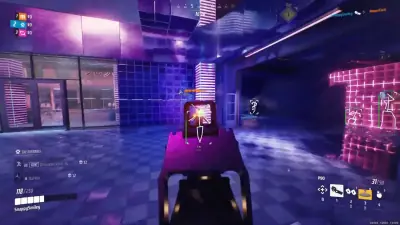
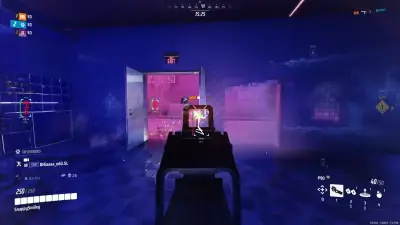
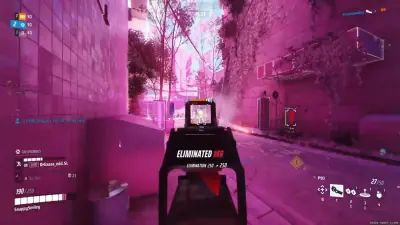
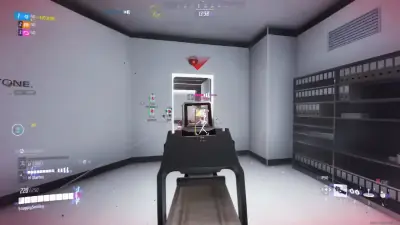
The supplied screenshots show THE FINALS gameplay. Review the documented features and purchase requirements below.
In-game layers
- Layer A
THE FINALS arena
First-person view of a neon arena with player outlines and distance indicators.
- Layer B
THE FINALS doorway
Aiming through a doorway in THE FINALS with character outlines and health indicators.
- Layer C
THE FINALS courtyard
THE FINALS courtyard firefight with character skeletons and distance labels.
- Layer D
THE FINALS office
THE FINALS office firefight with character outlines through adjacent rooms.
- Layer E
THE FINALS cashout
THE FINALS cashout area with player outlines and distance indicators.
More products
Pairs well with
Utilities sold beside the cheat. Each one keeps a separate page.
- HWID Spoofer After a hardware flag, this license rewrites disk serials. It also rewrites MAC addresses, GPU IDs, and related fingerprints. Trace cleanup is in the same license. View details: HWID Spoofer
- Cloud DMA Cloud DMA requires GREENWARD, Static Server and AWS as separate purchases. Confirm the full setup and THE FINALS compatibility before ordering. View details: Cloud DMA
- Skin Changer Cosmetic customization for supported titles. THE FINALS support is not explicitly confirmed; ask support before purchasing for this game. View details: Skin Changer
FAQ
Questions about this page
Answers for this page. The FAQ page holds the rest.
Blog
Related guides
Filter by topic to find setup guides, feature deep-dives, and patch-day notes.
Learn how THE FINALS aimbot settings work, from customizable FOV and smoothness to bone selection, visibility checks and activation binds.
Explore the main THE FINALS ESP options and understand how boxes, skeletons, snaplines, health indicators, names and distance displays differ.
Understand the available THE FINALS radar controls, from player and AI indicators to teammate visibility, zoom and transparency.
Compare the available THE FINALS access plans and learn what to review before choosing monthly or lifetime access.
Review the listed Windows compatibility and security requirements for THE FINALS software before purchasing or attempting setup.
A practical checklist for reviewing product requirements, access information, compatibility and support before setting up third-party software for THE FINALS.
The Finals community forum
Read discussion
Read-only discussions supplied by the site owner. Archived compatibility notes and prices reflect their original dates; confirm current details with the seller.
- Feature Discussions THE FINALS Aimbot Settings Explained: FOV, Smoothness and Bone Selection Trying to understand all the available aimbot settings? Discuss FOV, smoothness, bone selection, visible checks and other configuration options.
- Feature Discussions THE FINALS Player ESP vs Bot ESP: What Are the Differences Between the Visual Options? Discuss the different ESP categories in THE FINALS, including Player ESP, Bot ESP, teammate indicators, boxes, skeletons and distance information.
- Feature Discussions THE FINALS Radar vs ESP: Which Visual Display Options Are Actually Different? Not sure how radar and ESP differ? Discuss player, AI and team radar settings, zoom, transparency and the available visual display options.
- Product Questions THE FINALS Requires Cloud DMA? Question About Hyper-V and Virtual Machine Compatibility THE FINALS lists Cloud DMA as a requirement, but its Hyper-V-based setup raises an important compatibility question. Discuss what buyers should verify before purchasing.