
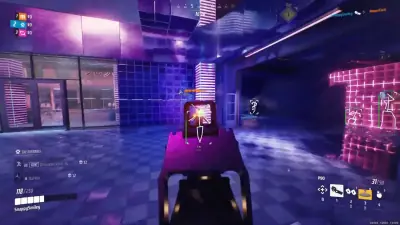
THE FINALS Radar Features: Understanding Every Available Option
Understand the available THE FINALS radar controls, from player and AI indicators to teammate visibility, zoom and transparency.
THE FINALS matches can become difficult to follow when multiple teams are moving through different parts of an arena.
A radar interface is designed to present additional positional information in a simplified visual format.
Unlike a full ESP display, which can use individual indicators around entities, radar organizes information into a separate interface.
The THE FINALS radar feature list includes several configurable controls. Understanding their purpose makes it easier to evaluate the available options before making a purchasing decision.
What Is Radar in THE FINALS?
Radar is a visual interface that presents selected entity information in a compact display.
Its primary purpose is to organize positional information rather than relying entirely on the main game view.
Depending on the available configuration, radar can include different entity categories and display settings.
Player Radar
Player Radar controls whether player-related information is displayed.
This option is relevant when reviewing the positions of player entities through the radar interface.
The available player display should be considered separately from other categories, such as AI and teammates.
AI Radar
The AI option controls whether AI-related entities are displayed.
Separating AI and player information can make the radar easier to organize.
It also gives users more control over which entity categories are included in the interface.
Team Display
The radar menu also includes an option for showing team information.
This provides a separate category for team-related indicators.
Having individual controls for players, AI and teams is useful when configuring a radar display with several entity types.
Radar Zoom
Zoom controls affect how the radar's displayed area is presented.
A zoomed-in view provides a different visual scale from a zoomed-out view.
The appropriate configuration depends on the information a user wants to see and how much space the radar occupies.
The product menu lists zoom as an adjustable radar setting.
Radar Transparency
Transparency determines how visible the radar interface appears relative to the screen behind it.
An opaque interface can be easier to read but may cover more of the underlying display.
A more transparent interface can reduce visual obstruction, although excessive transparency may make indicators harder to distinguish.
This setting gives additional control over the radar's appearance.
Available Radar Options
The product listing includes the following radar settings:
- Enable
- Show AI
- Show Player
- Show Team
- Zoom
- Transparency
These options provide control over the radar's activation, displayed entity categories and presentation.
Radar vs Other Visual Features
Radar and ESP serve different display purposes.
Radar organizes information inside a separate interface, while ESP uses individual visual indicators.
Neither display format should be confused with the game's standard HUD or minimap.
When reviewing a product, check whether it provides the specific display controls you are looking for instead of assuming every radar tool has identical functionality.
Where to Check THE FINALS Radar Availability
The available radar controls are included in the THE FINALS product feature list.
Visit the THE FINALS product page to review the current product details, available features and access options.