
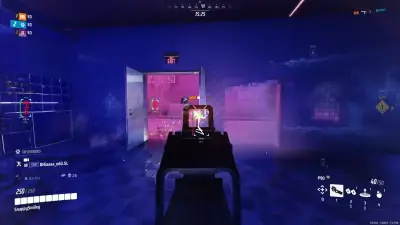
THE FINALS Cheat Menu Not Opening: Troubleshooting Guide
Understand common reasons a product menu may fail to open and learn which compatibility, access and support checks to make first.
A menu that fails to open can be frustrating, especially when you have already checked the product information and expected to access its available features.
However, a menu problem does not always have one specific cause.
It may involve account access, outdated software, an unsupported configuration or an issue that requires assistance from the product provider.
This guide covers the basic checks worth making before submitting a support request.
1. Check Your Product Access
Start by confirming that your purchase and access status are correct.
Review the following details:
- Is the product access active?
- Has the selected subscription expired?
- Are you using the correct account?
- Have you received the required access information?
- Is there any pending activation step?
If the purchase is not showing correctly, contact support with your order information.
2. Review the Current Product Version
Online games receive updates that can affect third-party software compatibility.
A product version that worked previously may need an update before it is compatible with a newer game release.
Check the current product announcements or support information to determine whether there is a known compatibility issue.
Avoid repeatedly launching outdated software when compatibility has not been confirmed.
3. Verify Your System Requirements
The listed THE FINALS product requirements include:
- Windows 10 or Windows 11
- Intel or AMD processor
- HVCI enabled
- Core Isolation enabled
- TPM enabled
- Secure Boot enabled
Review these requirements against your actual PC configuration.
Do not change or disable security protections simply to make a third-party tool launch.
4. Check the Menu Controls
Sometimes the issue is not the software itself but the assigned menu control.
The product listing includes customizable menu and unload keybind options.
Check the current product documentation to confirm the assigned key and whether the menu control has been changed.
Do not assume that a particular default key applies to every version.
5. Identify Any Compatibility Warnings
Pay attention to the exact error message.
A general menu problem is different from a game security or integrity warning.
If THE FINALS reports a System Integrity Violation, a prohibited application or a virtual machine restriction, do not attempt to bypass the message.
Review the official game support guidance and stop using software that conflicts with the game's requirements.
6. Restart Only When Appropriate
For an ordinary software access problem, a standard application restart or PC restart may help resolve a temporary issue.
However, repeatedly restarting a game after a security violation is not a solution.
First understand the message and follow the appropriate support guidance.
7. Contact Support With Useful Information
A detailed support request is more useful than simply reporting that something does not work.
Include:
- Your operating system
- Your product access plan
- The approximate time of the problem
- The exact error message
- A screenshot, where appropriate
- Whether the issue started after a game or product update
Never include passwords or private account credentials in a support message.
When Should You Stop Troubleshooting?
Stop and seek clarification if the issue involves:
- Anti-cheat restrictions
- System Integrity Violation messages
- Virtual machine detection
- Required security settings
- Unclear instructions to disable Windows protections
These issues should not be treated as ordinary menu-opening problems.
For product-specific help, visit the support page or review the information available on the THE FINALS product page.