
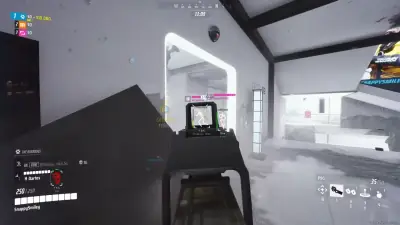
THE FINALS Menu Controls: Keybinds, FPS Limit and Customization
Explore the general THE FINALS menu options and understand how keybinds, FPS limits and language settings fit into the configuration interface.
A configurable software menu should make it easy to understand and manage the available options.
While features such as aiming controls and visual displays often receive the most attention, general menu settings also matter.
They determine how users interact with the interface and manage basic configuration preferences.
The THE FINALS product menu lists several utility controls, including an FPS limit, language selection, menu keybind and unload keybind.
This guide explains each option.
Menu Keybind
The menu keybind determines which keyboard input is assigned to opening or controlling the software interface.
A configurable keybind makes it possible to choose a control that fits the user's preferred keyboard layout.
The current assigned key should be checked in the menu documentation rather than assuming that every version uses the same default.
Unload Keybind
The unload keybind provides a separate control for the software's unload function.
Keeping the menu and unload controls separate makes their purposes easier to distinguish.
Before changing this setting, review the current product instructions so you understand its intended behavior.
FPS Limit
An FPS limit is a control used to define a maximum frame-rate value for the relevant software component.
The product listing includes an FPS Limit option under its miscellaneous settings.
It should not be confused with a guarantee of improved game performance.
Actual frame rates depend on several factors, including hardware, graphics settings and the game itself.
Menu Language
The menu lists two available language options:
- English
- Chinese
A language selection option helps users choose an interface language they can understand.
Always review the available choices in the current product version.
Miscellaneous Configuration
Miscellaneous settings are useful because not every menu control belongs to the visual or aiming categories.
The general options currently listed include:
- FPS Limit
- Crosshair Enable
- Crosshair Style
- Crosshair Size
- Crosshair Thickness
- Menu Language
- Menu Keybind
- Unload Keybind
These controls provide additional customization beyond the core feature groups.
Why General Menu Settings Matter
An organized menu makes it easier to identify available controls and understand what each one does.
Before changing any option, read its description and check the current documentation.
Avoid experimenting with unknown system-level settings, especially when doing so could conflict with Windows security or game integrity requirements.
Where to Review the Current Menu
For the latest feature list and access information, visit the THE FINALS product page.
For questions about a particular control, use the support page.