
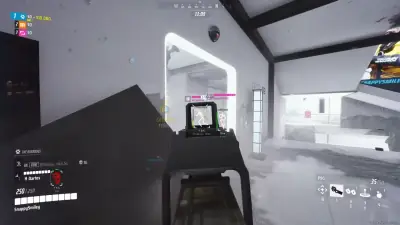
THE FINALS Crosshair Settings: Customize Style, Size and Thickness
Understand crosshair customization options and how style, size and thickness influence visibility during THE FINALS matches.
A crosshair is one of the most important visual elements in a first-person shooter.
It provides a central aiming reference and helps players maintain consistency when tracking targets or changing direction.
THE FINALS players can pay attention to several aspects of crosshair presentation, including its appearance, size and visibility.
The available product menu also lists a customizable crosshair feature with controls for enabling the display, selecting a style and adjusting size and thickness.
Here is what each option means.
Why Crosshair Visibility Matters
A crosshair should remain easy to recognize without becoming a distraction.
THE FINALS includes visually busy environments, frequent explosions and changing structures.
A crosshair that blends into its surroundings can become difficult to follow.
On the other hand, an overly large or thick crosshair can cover too much of the central screen.
The goal of customization is to create a clear aiming reference.
Crosshair Style
Crosshair style determines its visual shape.
Different styles provide different reference points.
Some are minimal and unobtrusive, while others use more visible lines or shapes.
The appropriate style depends on personal preference and how easily the crosshair can be recognized during a match.
Crosshair Size
Size determines the overall dimensions of the crosshair.
A smaller crosshair takes up less screen space.
A larger crosshair may be easier to recognize at a glance but can become distracting during close-range encounters.
When adjusting size, consider whether the center of the screen remains easy to read.
Crosshair Thickness
Thickness affects how prominent the crosshair lines appear.
Thin lines provide a more subtle reference.
Thicker lines increase visibility but may cover more of the image behind them.
Size and thickness should be considered together rather than adjusted independently.
Enable or Disable the Crosshair
The product menu includes an Enable option for the crosshair feature.
This allows users to control whether the additional crosshair display is active.
Review the available options before changing settings so the display behaves as expected.
Finding a Readable Configuration
A useful crosshair configuration should satisfy three basic goals:
- It should be easy to see.
- It should not obscure important visual information.
- It should remain comfortable during different types of engagements.
There is no single setting that works for every player or monitor.
Screen resolution, display size, personal preference and visual sensitivity can all influence the result.
Crosshair Customization in THE FINALS Product Menu
The current product listing includes the following crosshair controls:
- Enable
- Style
- Size
- Thickness
These settings provide control over the appearance of the additional crosshair feature.
Review the THE FINALS product details for the current menu options.